---
title: "What Flow360 Can Draw: A CFD Picture Book"
description: "Thirty-eight views of air flowing past the Stanford bunny, from low speed to Mach 2, each with what it shows and the Flow360 recipe that made it."
canonical_url: "https://engineering.flexcompute.com/articles/what-flow360-can-draw/"
markdown_url: "https://engineering.flexcompute.com/articles/what-flow360-can-draw.md"
image: "https://engineering.flexcompute.com/images/og/what-flow360-can-draw.jpg"
publish_date: "2026-10-19"
kind: "Case Study"
authors:
- "Case Prince"
tags:
- "CFD"
- "Flow360"
- "AI Engineering"
- "AI Agents"
---
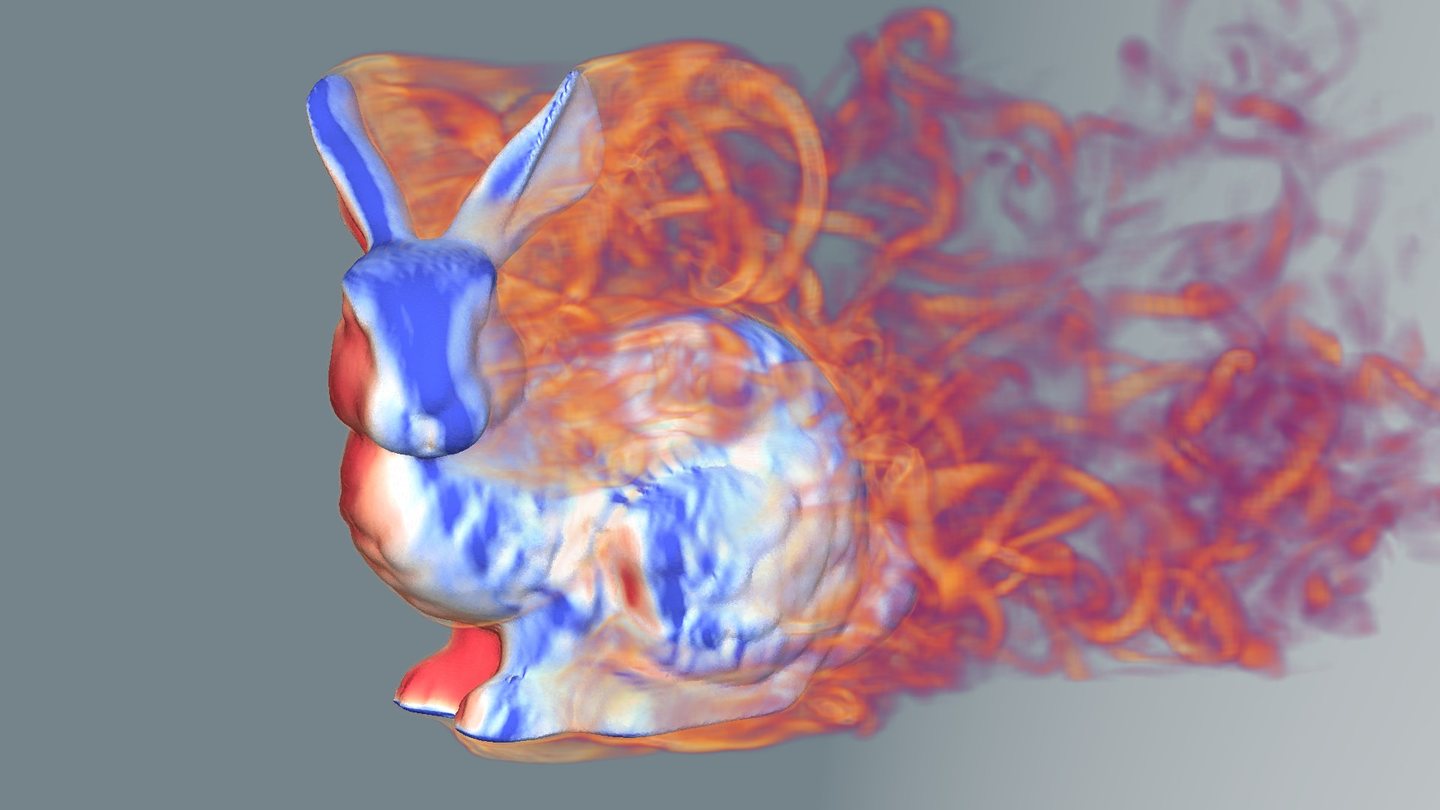
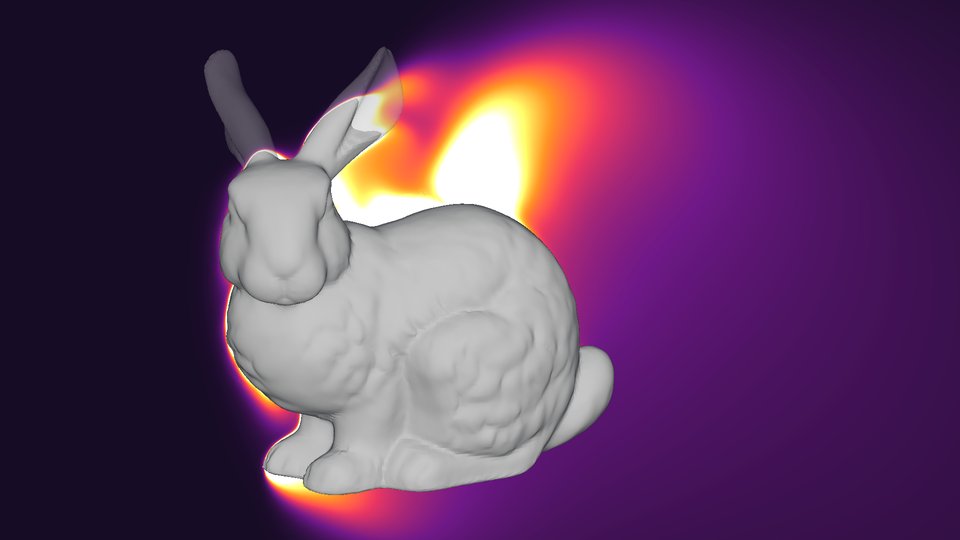

Surface pressure and vorticity. One instant of the unsteady DDES run further
down: pressure on the body, and the spinning air in its wake drawn as a glowing volume. The code
for this one is at the end.
Most CFD results reach people as a single picture: pressure painted on a surface. A flow solver knows a lot more than that, and I wanted to see how much of it [Flow360](https://www.flexcompute.com/flow360/) could show. So I gave an AI agent one shape and one question: what can you draw?
The shape is the [Stanford bunny](https://en.wikipedia.org/wiki/Stanford_bunny), a 3D scan that graphics people have been rendering for decades, scaled to 1 m long. I had the agent ([Claude Code](https://www.claude.com/product/claude-code), driving the [Flow360 Python client](https://docs.flexcompute.com/projects/flow360/en/latest/)) set up and run seven simulations, from low speed to Mach 2, and render 43 views of them for about 158 FlexCredits, the unit Flow360 bills compute in. Most of them are below, all from the same camera.
Each picture has two notes. _What you're seeing_ is for anyone new to CFD. _Recipe_ gives the Flow360 settings that made it, written so a person, or an agent, can reuse them on another geometry. Flow360's server-side renderer drew each image unless its recipe says it was drawn locally.
## Low speed: Mach 0.1
Low speed first: [Mach](https://en.wikipedia.org/wiki/Mach_number) 0.1, about 34 m/s. That is hurricane force on the [Beaufort scale](https://en.wikipedia.org/wiki/Beaufort_scale), but slow for an aerodynamicist. The [Reynolds number](https://en.wikipedia.org/wiki/Reynolds_number) is one million on the bunny's 1 m length, which Flow360 reaches by setting the 15 °C air's density to 0.53 kg/m³. This is steady [RANS](https://en.wikipedia.org/wiki/Reynolds-averaged_Navier%E2%80%93Stokes_equations) with the [Spalart–Allmaras turbulence model](https://en.wikipedia.org/wiki/Spalart%E2%80%93Allmaras_turbulence_model), the everyday workhorse of CFD. The drag coefficient, on the bunny's 0.46 m² frontal area, comes out at 0.538.
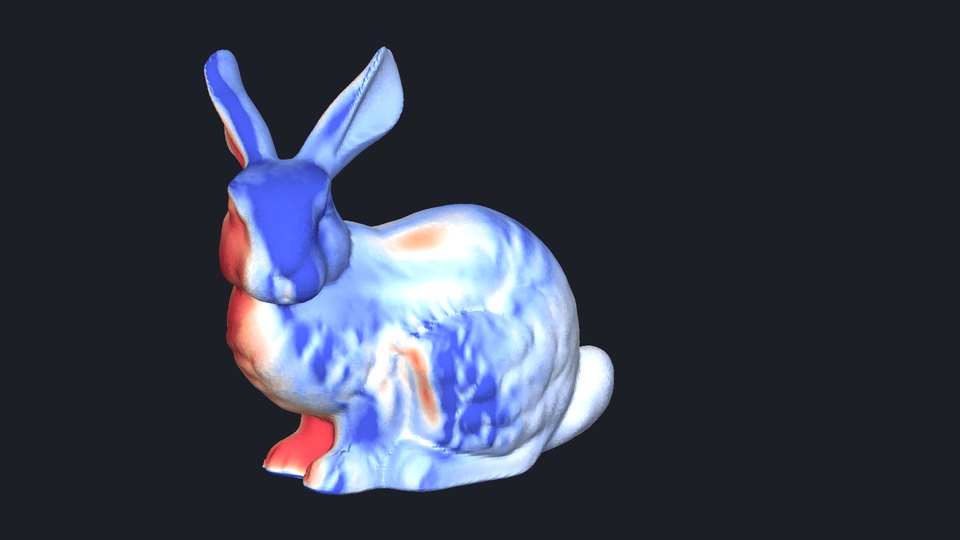
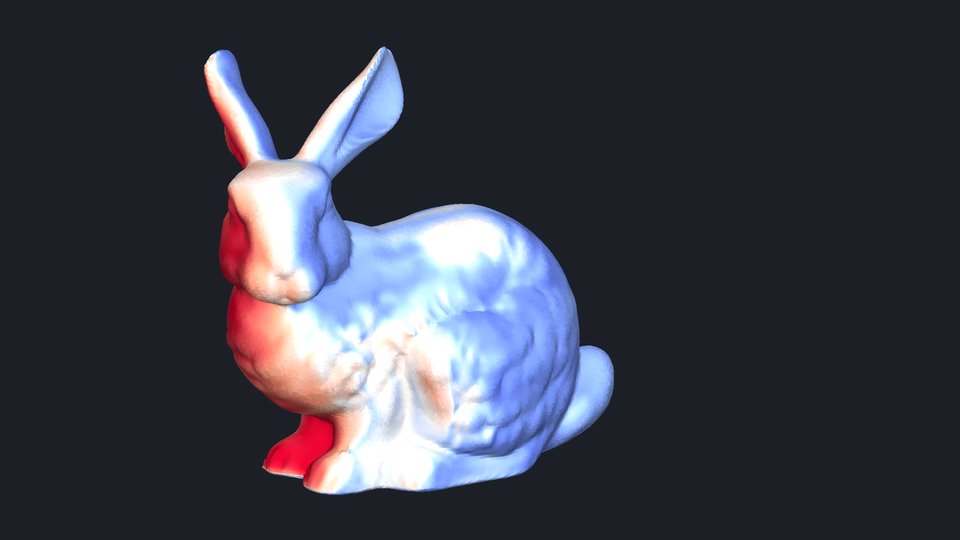
Pressure.What you're seeing: Red is
[stagnation](https://en.wikipedia.org/wiki/Stagnation_point) on the chest and forepaws, which
face the flow, with smaller patches of positive pressure on the back and haunch. Blue is
suction, where the air speeds up.\
Recipe: Surface render of Cp from −1.2 to 1.2, with a five-key coolwarm
colormap.
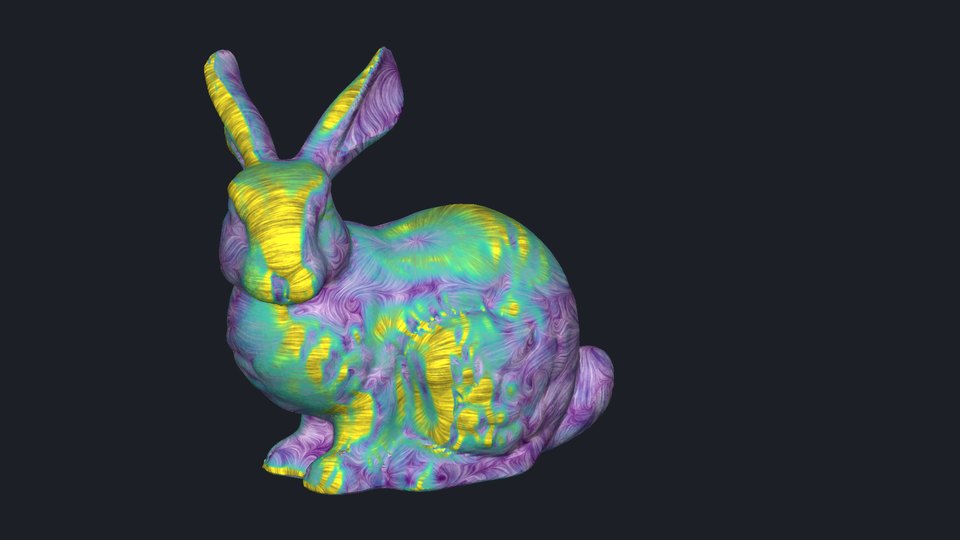
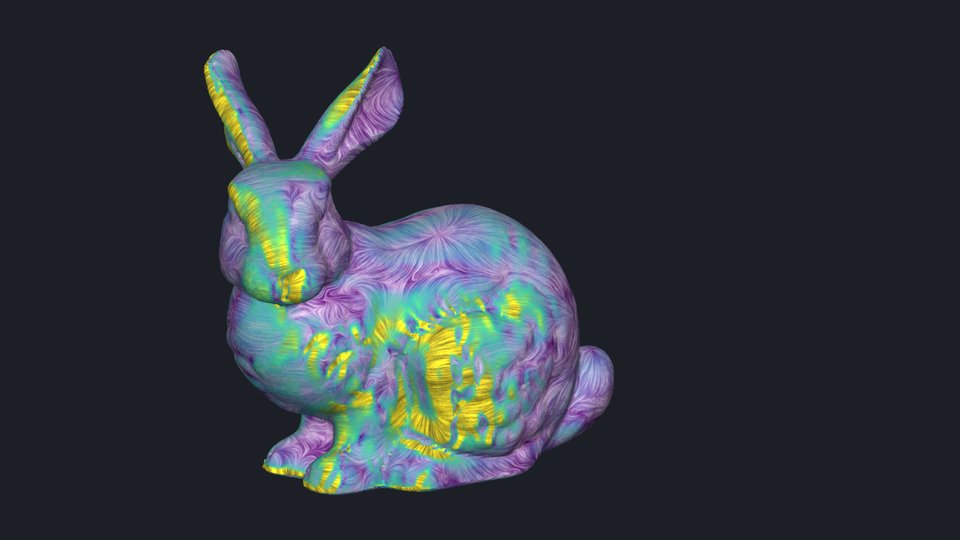
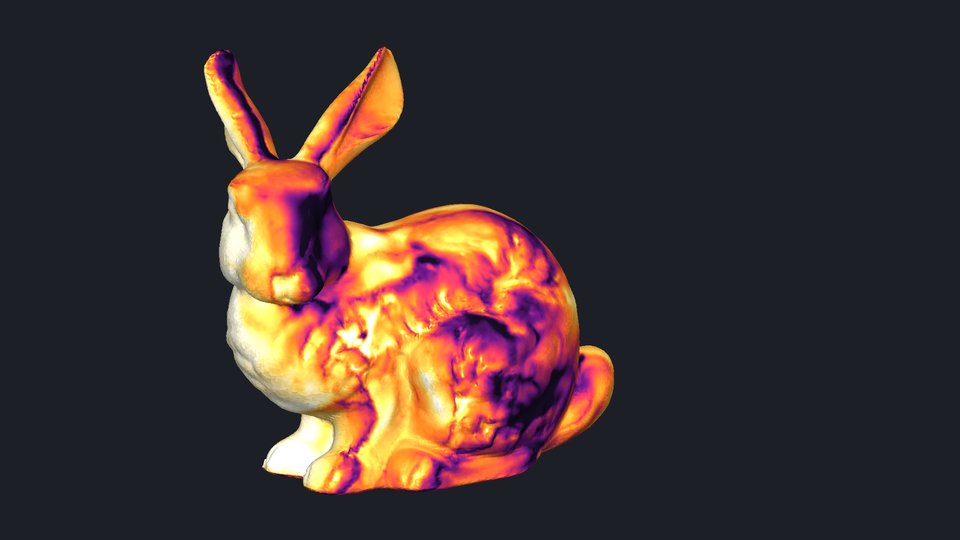
Skin friction.What you're seeing: Streaks follow the shear stress
at the wall, so they trace how the air moves over the fur. Color shows how hard it drags,
purple low to yellow high.\
Recipe: Surface render of CfVec with lic=True for
[line-integral convolution](https://en.wikipedia.org/wiki/Line_integral_convolution), viridis,
Cf from 0 to 0.012.
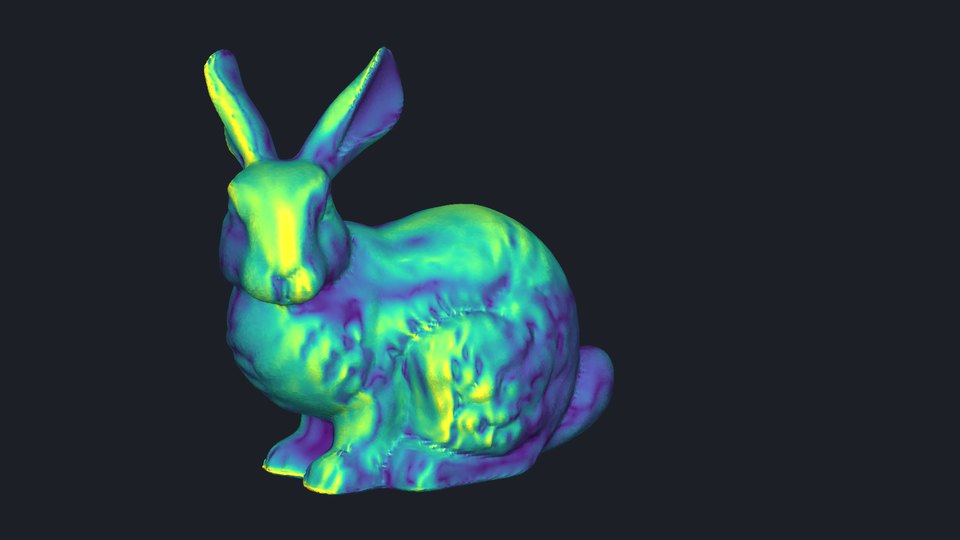
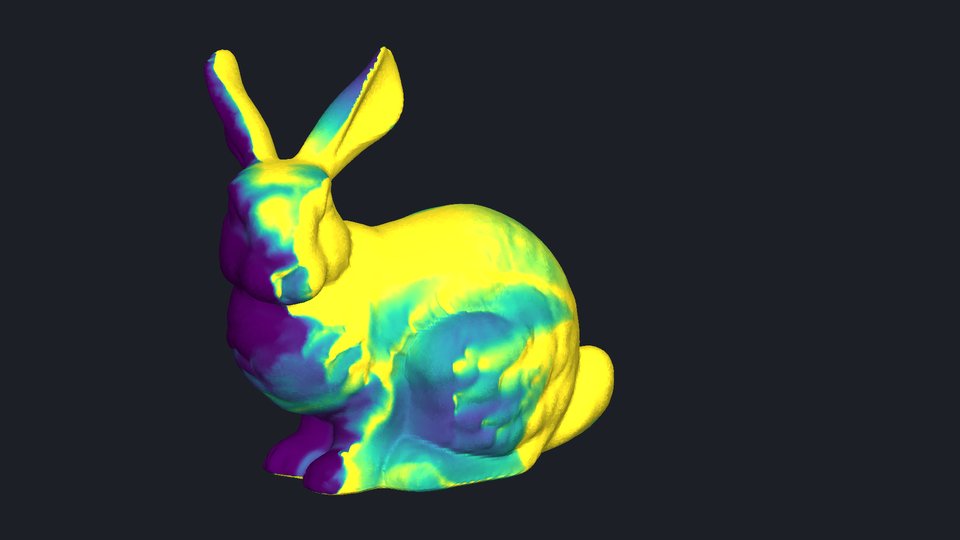
Wall resolution.What you're seeing: The height of the first mesh
cell in [wall units, y+](https://en.wikipedia.org/wiki/Law_of_the_wall). Spalart–Allmaras run
down to the wall wants it around 1 or less, so this is a quick check on the mesh. Most of the
fur is under 1; yellow marks 1 or more, on the face, the ears and scattered patches.\
Recipe: Surface render of yPlus from 0 to 1, viridis.
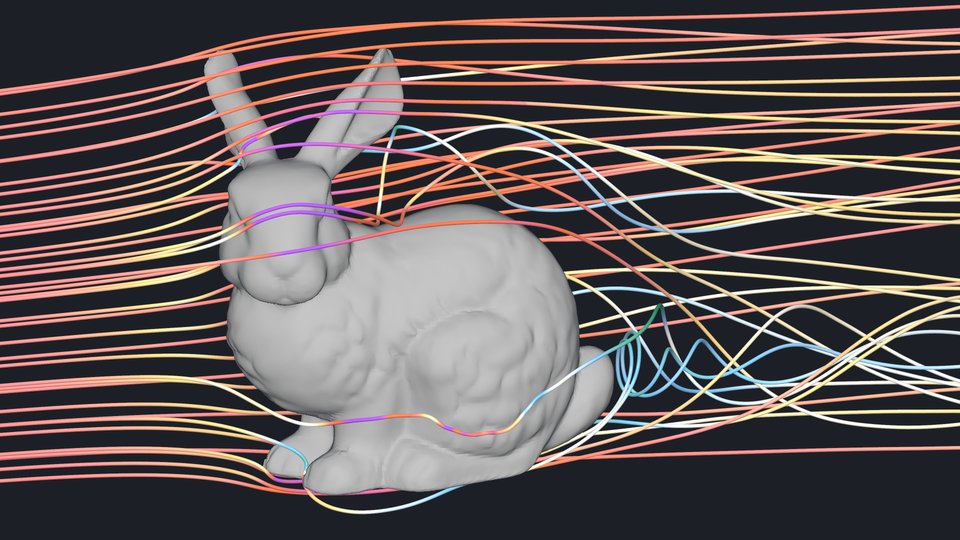
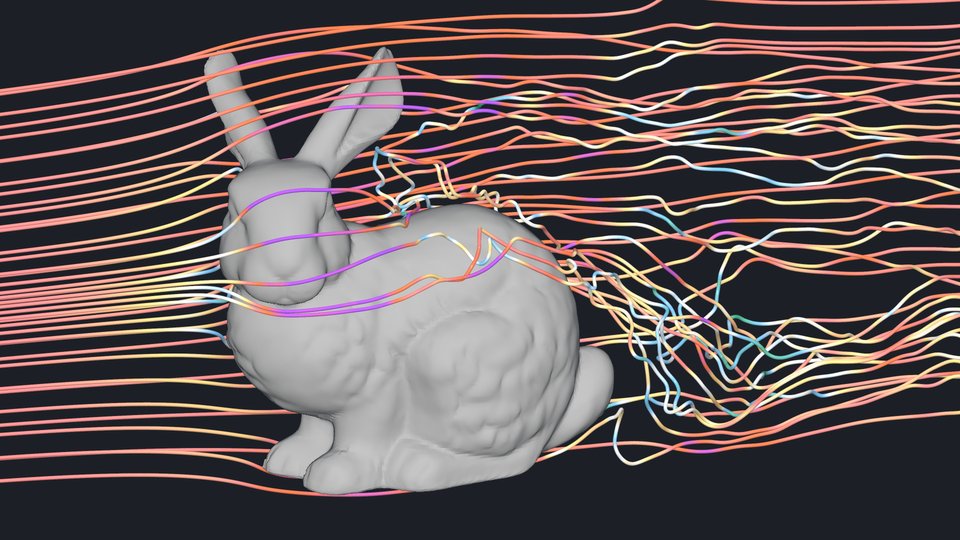
Streamlines.What you're seeing: Lines that follow the flow from
rakes of seed points. The flow parts around the ears, speeds up over the head and coils into a
vortex behind the tail.\
Recipe:StreamlineOutput from three PointArray rakes,
colored by speed (|u|/a∞, speed over the freestream speed of sound, 0 to 0.13). Flow360 traces
the lines for its web viewer; here they were decoded from the viewer's data and drawn locally
as tubes in PyVista.
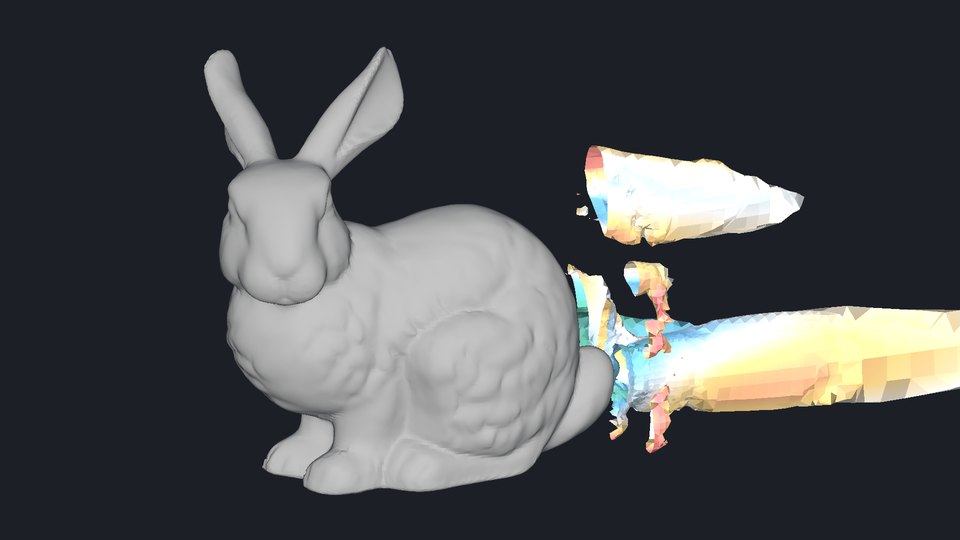
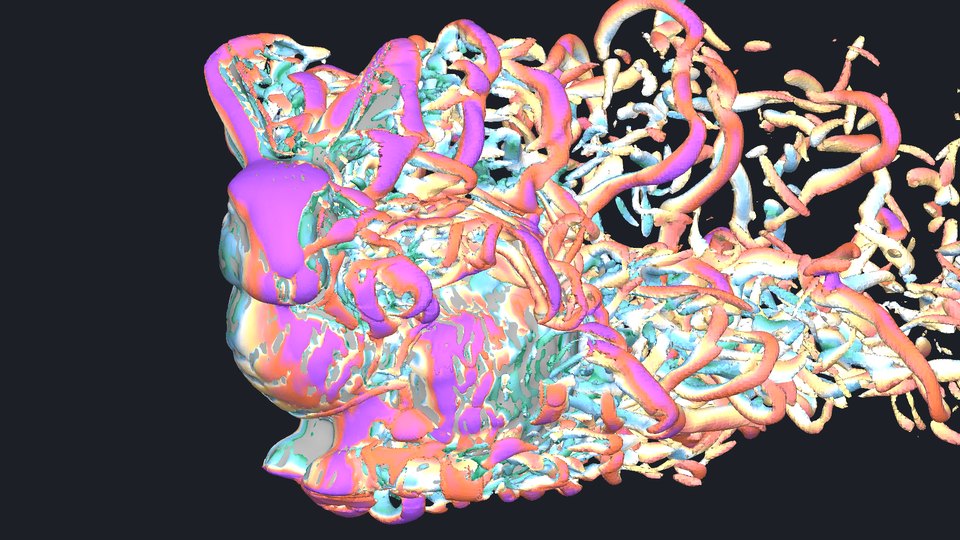
Vortex structure.What you're seeing: Q-criterion marks where the
air rotates more than it is strained, a working definition of a vortex. Kept to a box behind
the body, it shows two vortex tubes trailing into the wake. The box keeps the boundary layer's
own Q sheets out, and the facets are the mesh: wake cells here are a few centimeters across.\
Recipe: [Isosurface](https://en.wikipedia.org/wiki/Isosurface) of{' '}
qcriterion at 0.03 in solver units (Q L²/U∞² = 3), clipped to a box behind the
body, colored by velocity_magnitude.
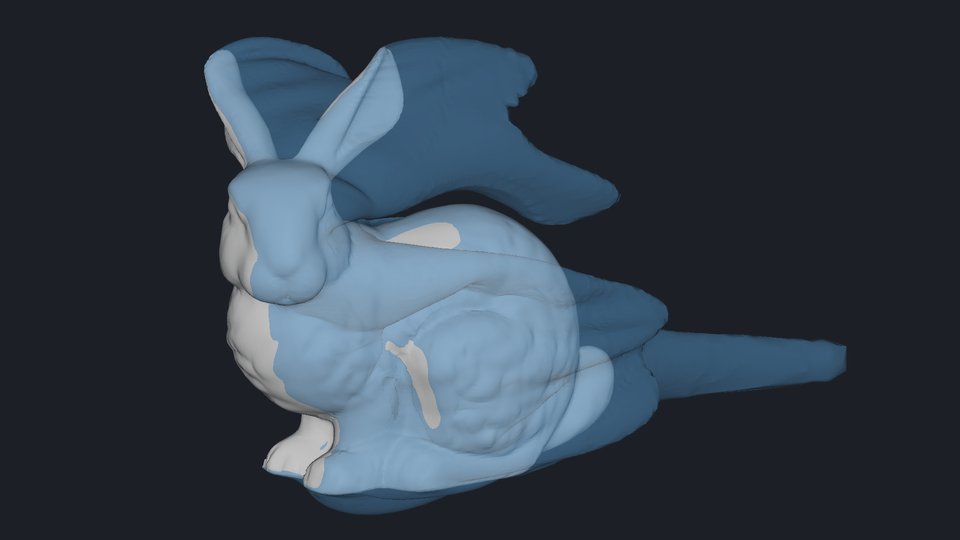
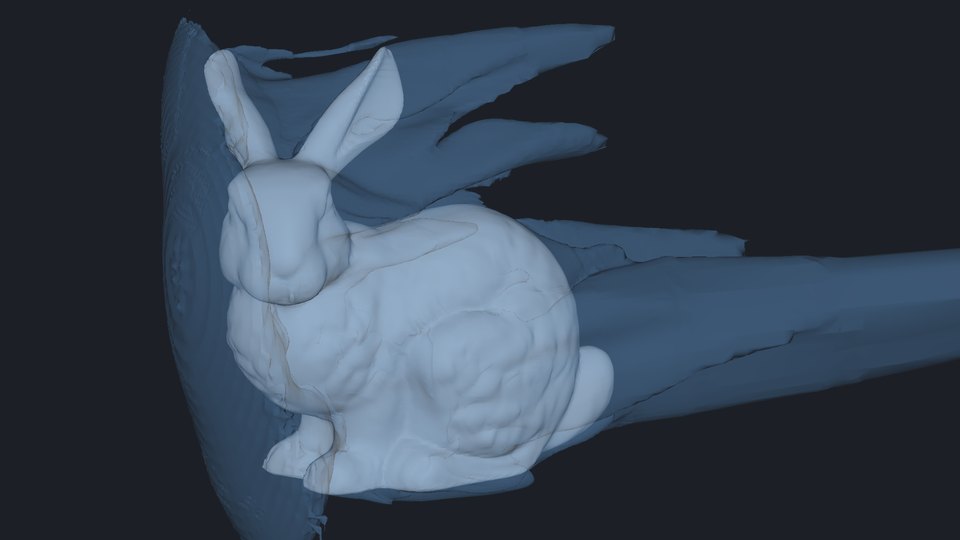
Wake envelope.What you're seeing: Inside this skin, the air has
lost at least its whole dynamic pressure. It hugs the body where surface pressure is low, then
trails off the ears, head and haunch.\
Recipe: Isosurface of the built-in entropy field s at 0.00279,
translucent. At Mach 0.1 that value marks a total-pressure loss of one dynamic pressure (Cpt =
−1).
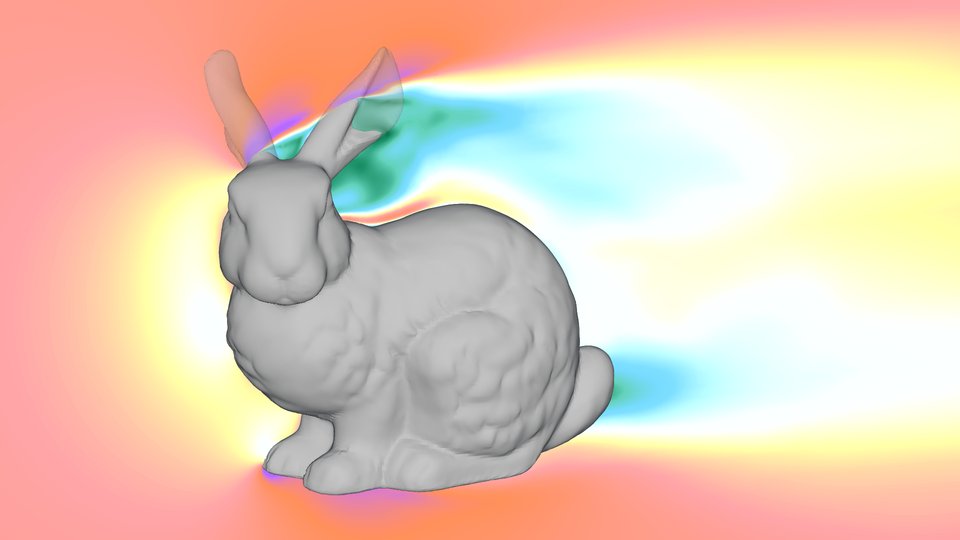
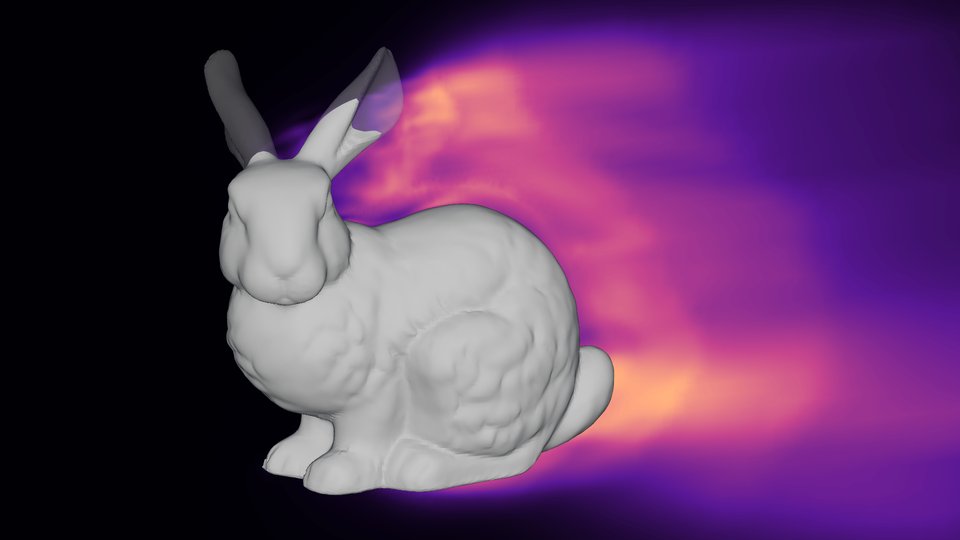
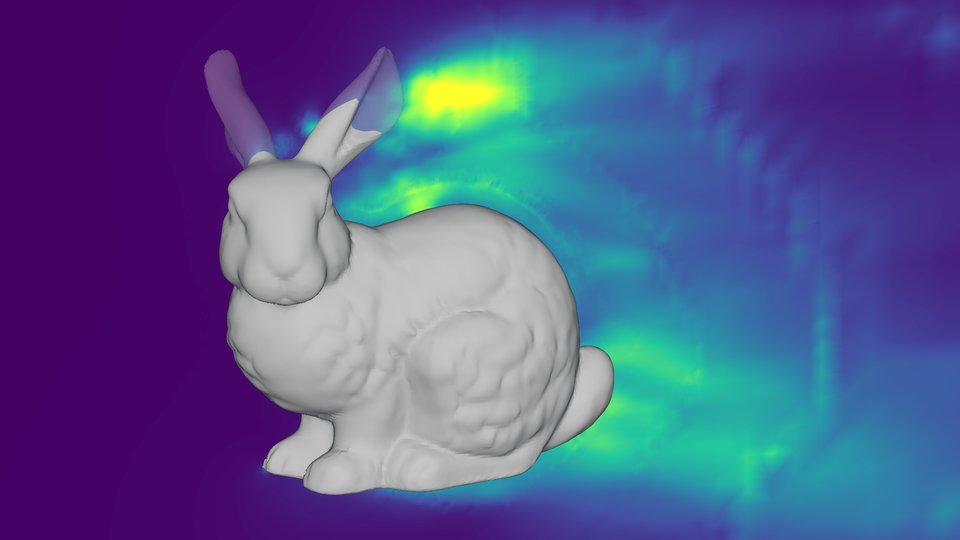
## Through the middle
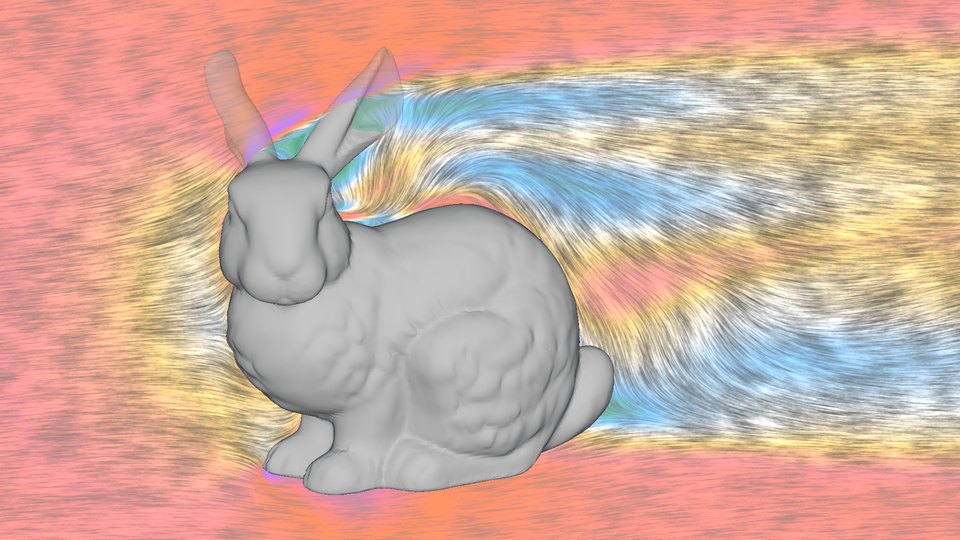
A slice down the bunny's centerline. The half of the body behind the slice is drawn faintly over the top, from a second, body-only render, so you can tell where you are.
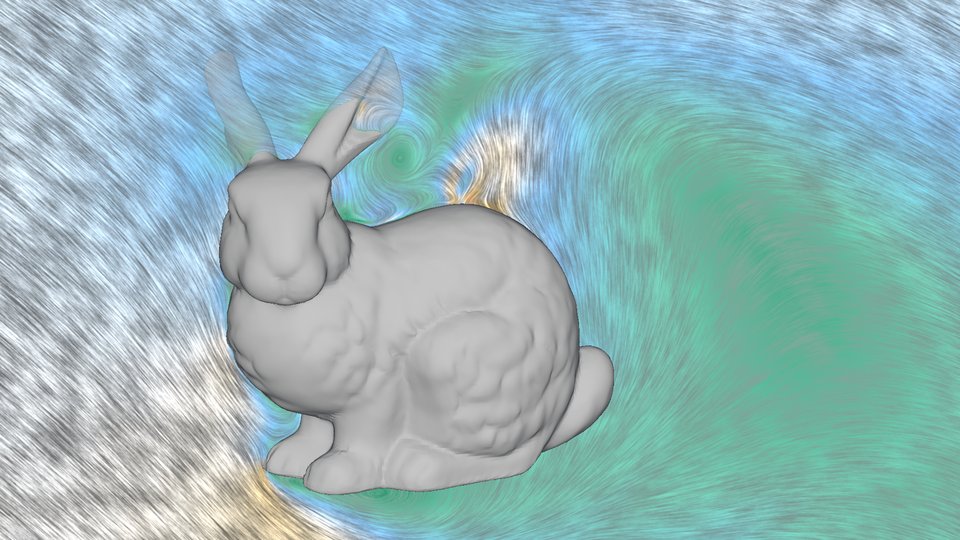
Velocity.What you're seeing: Flow speed, with streaks showing
direction around the body and into the slow wake behind it.\
Recipe:fl.Slice at y = 0, velocity with{' '}
lic=True, the airflow colormap, 0 to 0.13 in |u|/a∞.
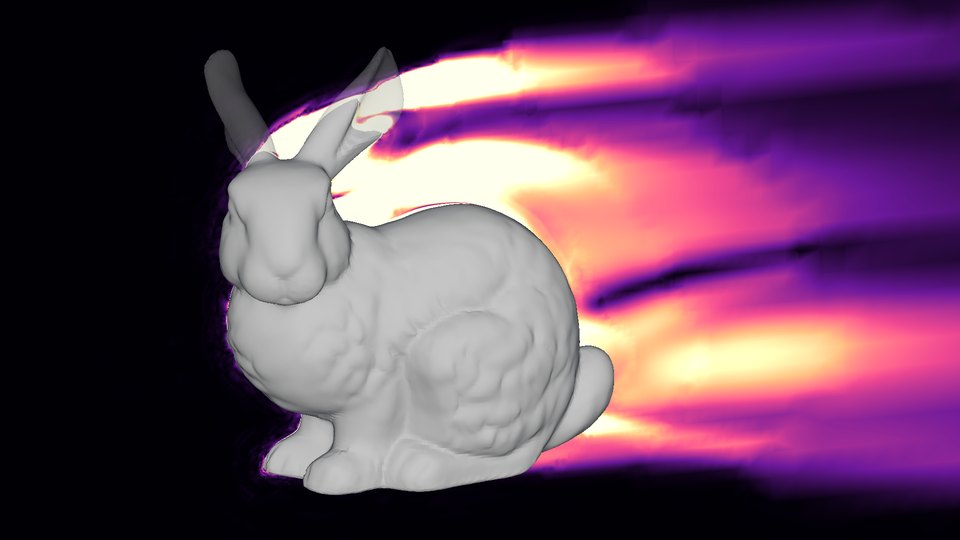
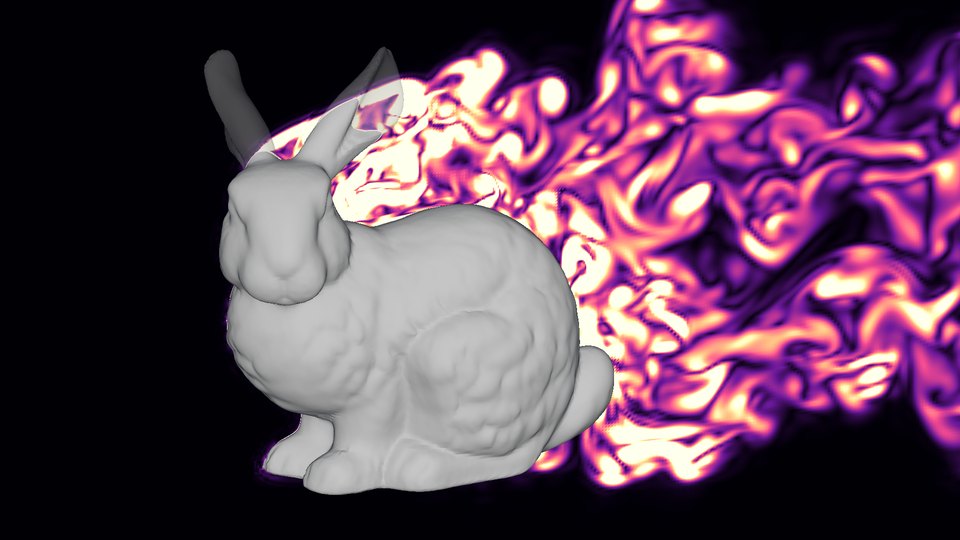
Vorticity.What you're seeing: How fast the air is spinning. Shear
layers peel off the ears and the top of the head and spread into the wake.\
Recipe:vorticityMagnitude from 0 to 1 in solver units (0 to 10 in
|ω|L/U∞), magma.
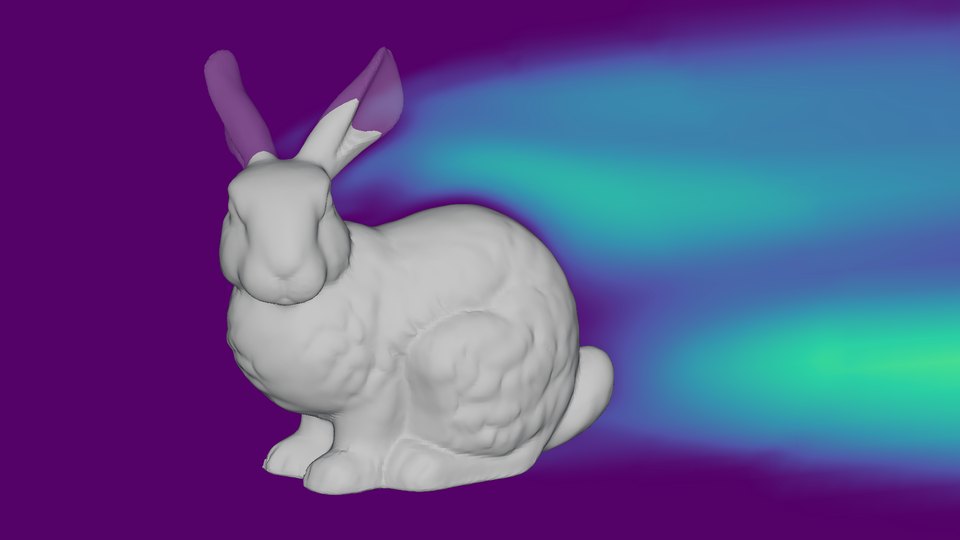
Eddy viscosity.What you're seeing: How much extra mixing the
[turbulence model](https://en.wikipedia.org/wiki/Turbulence_modeling) adds, as a multiple of
the air's own viscosity. It fills the wake and grows downstream, to thousands of times the
molecular value.\
Recipe:mut from 0 to 0.0008 in solver units (μt/μ∞ up to 8,000),
viridis.
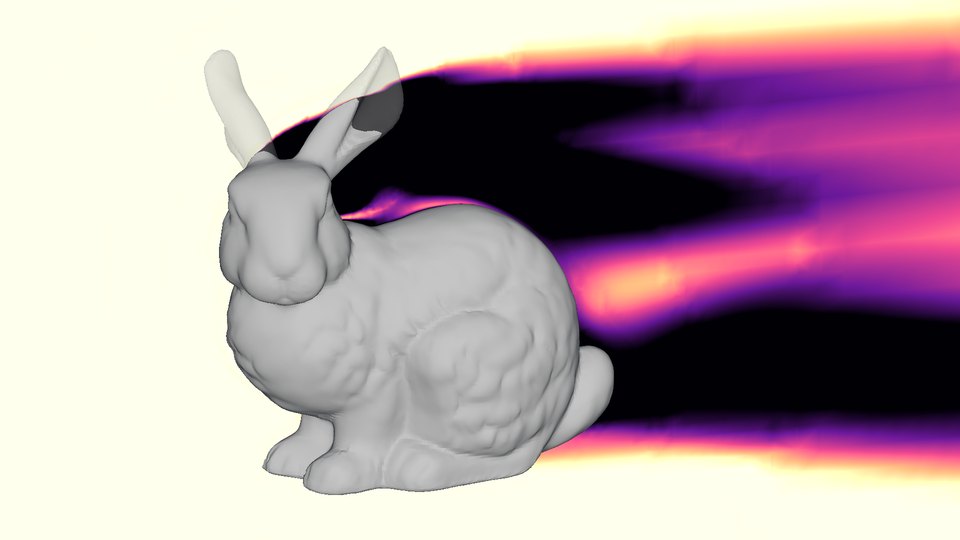
Total-pressure loss.What you're seeing: Where the air has lost
energy to friction and mixing: the boundary layer and the wake. Downstream, it tracks the
velocity deficit that sets the drag.\
Recipe:Cpt from −0.8 to 0, magma.
## Laminar or turbulent?
The runs above treat the boundary layer as turbulent everywhere. Real [boundary layers](https://en.wikipedia.org/wiki/Boundary_layer) start smooth (laminar) and [trip to turbulent](https://en.wikipedia.org/wiki/Laminar%E2%80%93turbulent_transition) somewhere downstream. Flow360's transition model predicts where, by tracking how much small disturbances have grown. Here it cuts drag 6%, to 0.505. The drag settled, but the map of where the flow trips is less certain: over the back, disturbances pass the trip threshold where the map still reads laminar. Trust the drag number more than the exact line between blue and orange.
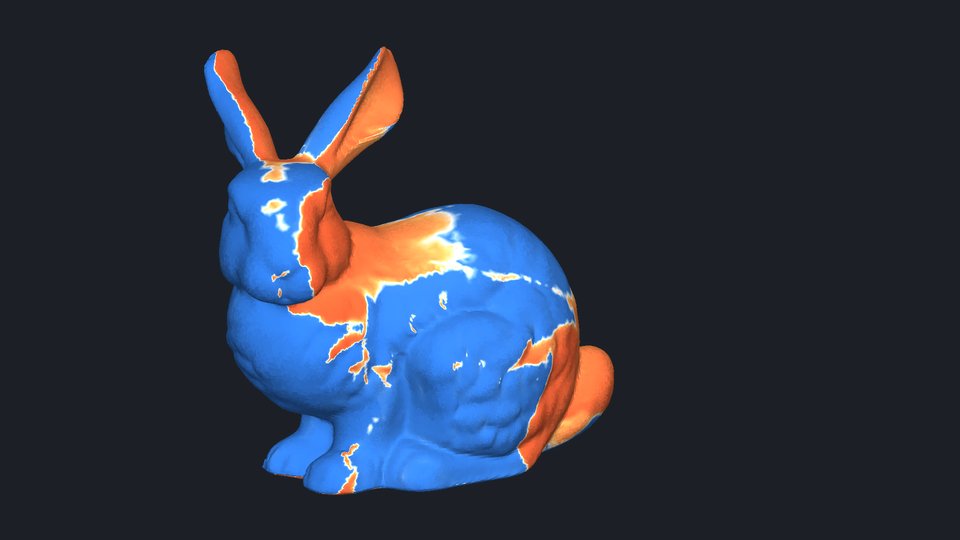
Laminar and turbulent.What you're seeing: Blue is laminar, orange
turbulent, white in between. Most of the fur stays laminar; the flow trips behind the head, on
the ears, across the shoulder and over the tail.\
Recipe: User variable fl.solution.turbulence_intermittency on the
surface, from 0 (laminar) to 1 (turbulent).
Disturbance growth.What you're seeing: How far small disturbances
have grown, as n = ln(A/A₀). Zero where the flow arrives on the chest and forepaws, reaching
9, the trip threshold, within a short run over the head and back.\
Recipe: User variable fl.solution.amplification_factor from 0 to 9,
viridis.
Skin friction with transition.What you're seeing: Compare with the
turbulent version above: the laminar fur carries much less shear. Friction drag falls 31%, but
friction is only 2% of this blunt body's drag, so most of the 6% is pressure drag.\
Recipe: Surface render of CfVec with lic=True, viridis, Cf
from 0 to 0.012.
## Mach 2
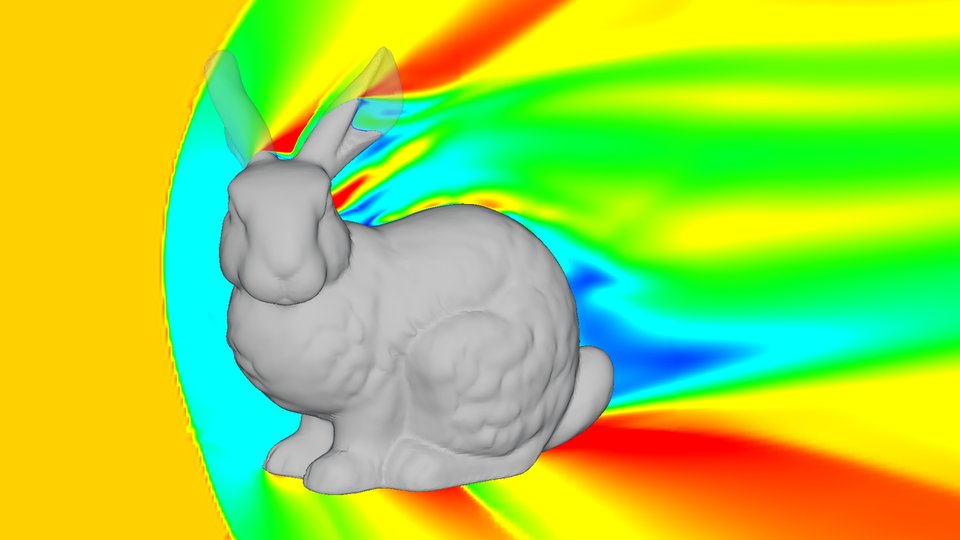
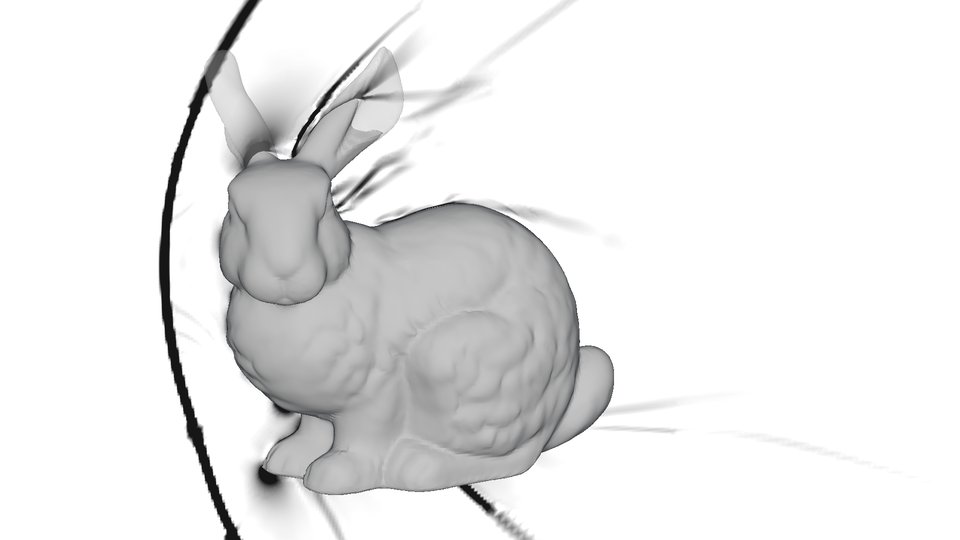
Twice the speed of sound, same camera. A [bow shock]() stands off the chest and head and wraps back past the body, and the drag coefficient climbs to 1.165. The Mach number, schlieren, knife-edge and shock-shell views come from a second solution on a mesh refined to 1.6 cm around the shock, 12 million nodes; its drag moved 0.3%.
Mach number.What you're seeing: The bow shock, the subsonic pocket
behind it, and the flow speeding back up past the body.\
Recipe: Center-plane slice of Mach from 0 to 2.4, rainbow.
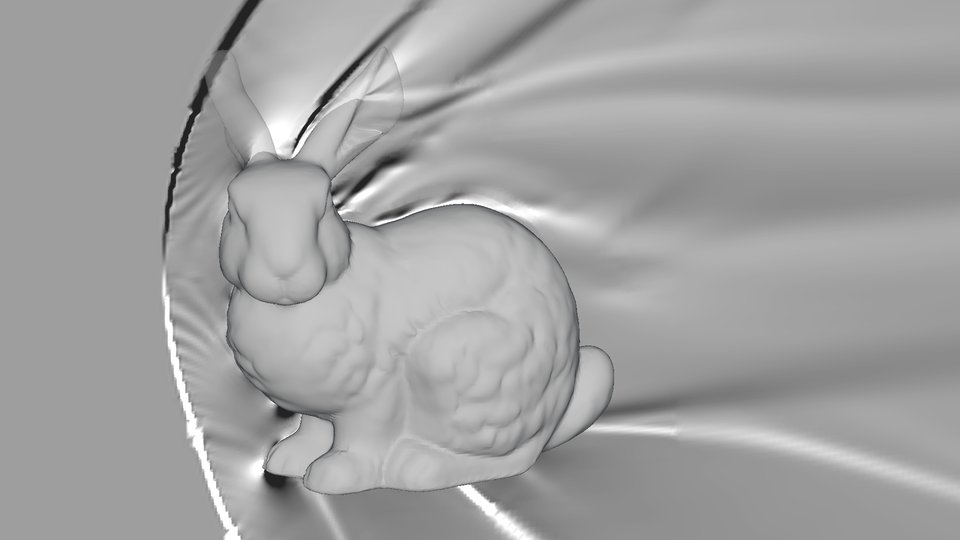
Schlieren.What you're seeing: Numerical
[schlieren](https://en.wikipedia.org/wiki/Schlieren_photography), the steepness of the density
change: the bow shock as a black arc, shocks off the ears and feet, and waves trailing from
the back.\
Recipe: User variable fl.math.magnitude(fl.solution.grad_density), white
to black, on the shock-refined mesh.
Knife-edge schlieren.What you're seeing: The shadow picture wind
tunnels have used for a century, done in the solver. A knife edge responds to density changing
in one direction, so the bow shock reads dark above the bunny and light below, where it slopes
the other way.\
Recipe: Center-plane slice of fl.solution.grad_density[2], a three-key
dark, mid-gray and light colormap, on the shock-refined mesh.
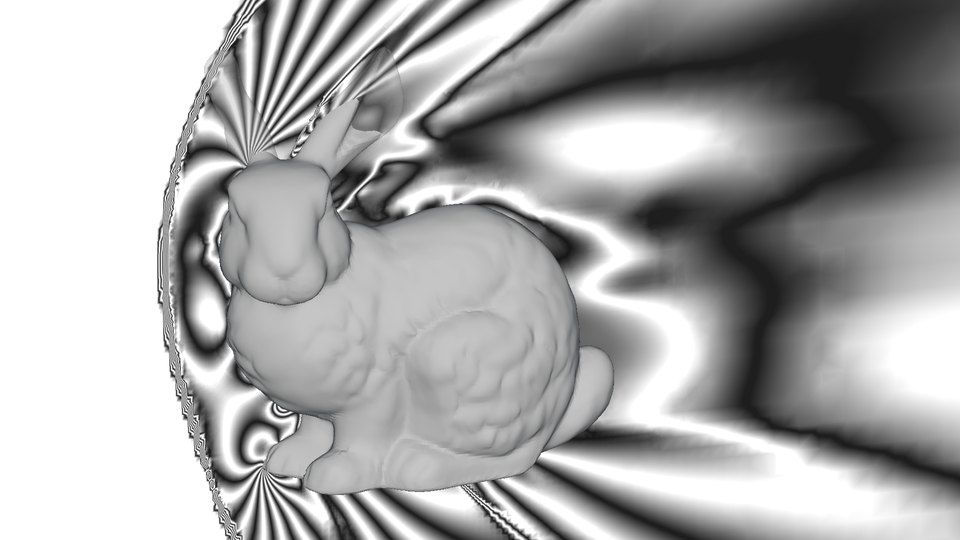
Pressure fringes.What you're seeing: An interferogram-style view:
each light and dark pair is a fixed step in pressure, so the bands pack into the shock and
spread wide in the subsonic pocket behind it. A real interferogram shows density.\
Recipe:Cp from −0.6 to 1.8 with a 29-key colormap of alternating dark
and light keys, one fringe per 0.17.
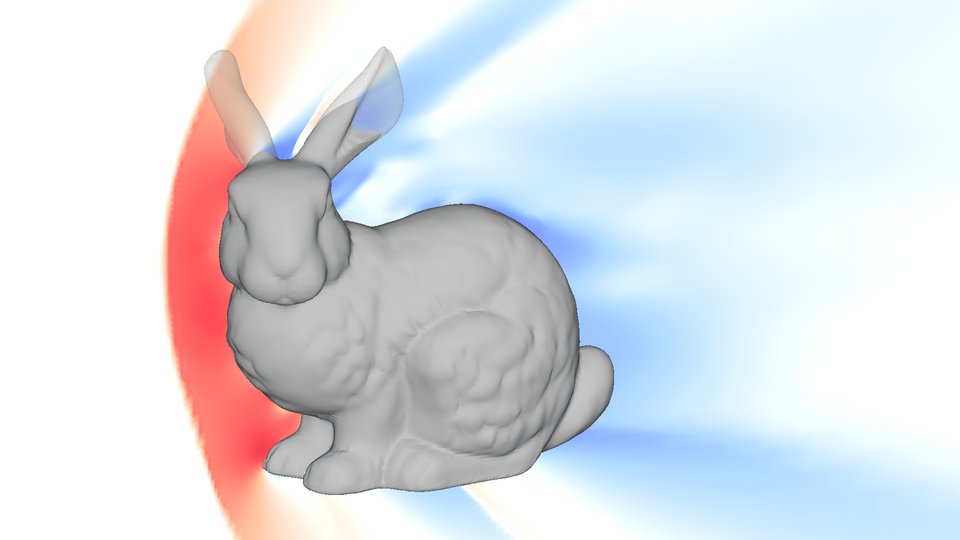
Pressure.What you're seeing: Compression behind the bow shock in
red; expansion over the back, behind the ears and under the body in blue.\
Recipe:Cp from −0.4 to 1.7 with 22 keys 0.1 apart: coolwarm's blue half
spread over −0.4 to 0 and its red half over 0 to 1.7, so white sits exactly at zero.
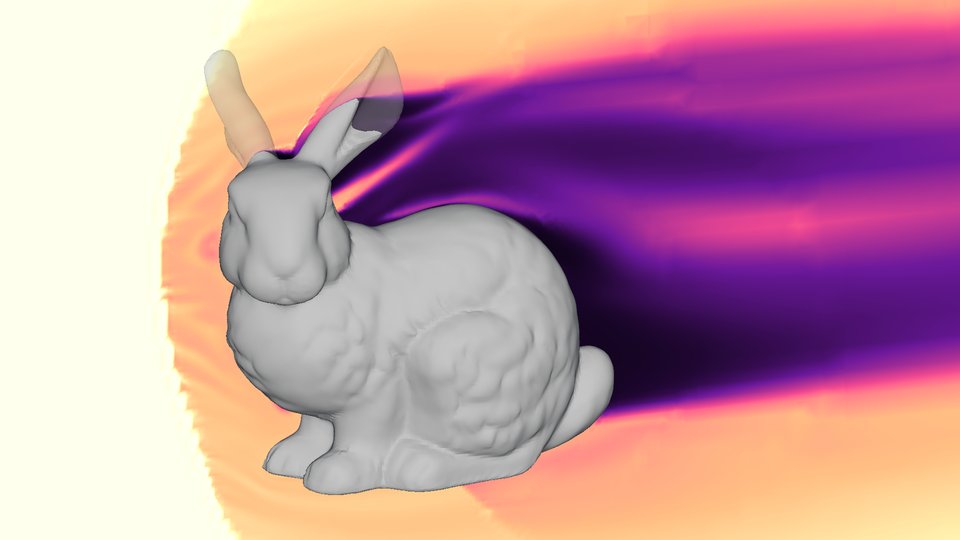
Total-pressure loss.What you're seeing: A shock costs total
pressure. Ahead of the chest, where the shock is nearly normal, Cpt is about −0.78: a loss of
28% of the total pressure, what theory gives for a normal shock at Mach 2. The wake is darker
still.\
Recipe:Cpt from −2.8 to 0, magma.
Surface pressure.What you're seeing: Stagnation pressure on the
chest, the forepaws and the leading edge of one ear. The face sits close to zero, and suction
covers most of the rest.\
Recipe: Surface render of Cp with the same zero-anchored colormap.
Adiabatic wall temperature.What you're seeing: With no heat
crossing the wall, the surface sits at the air's recovery temperature: 1.8 times freestream
(about 245 °C, from 15 °C air) where the flow stops on the chest and forepaws, cooler where it
speeds up again.\
Recipe: Surface render of T from 1.6 to 1.8 (solver units are T/T∞), a
black, purple, orange and white colormap.
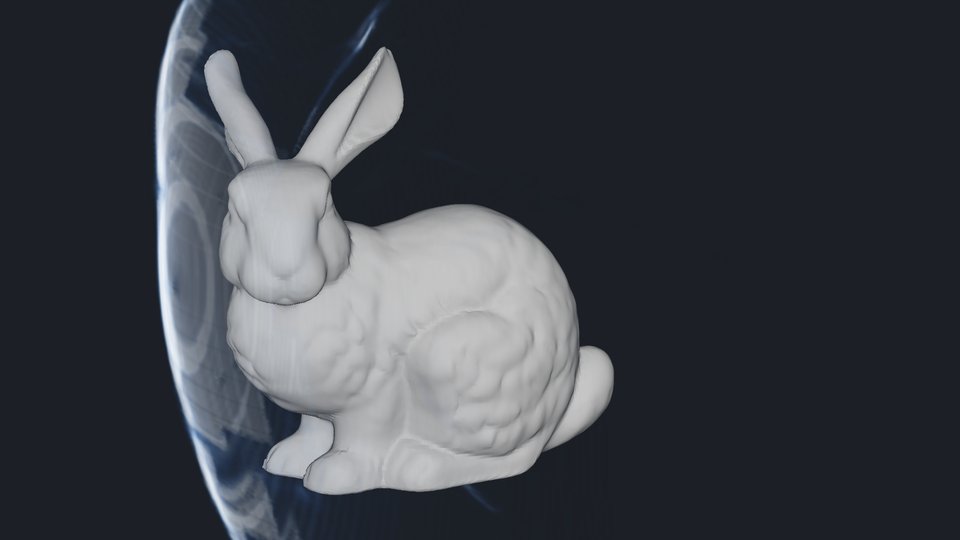
Shock shell.What you're seeing: The bow shock in three dimensions:
a glowing shell curving around the head and chest.\
Recipe: [Volume render](https://en.wikipedia.org/wiki/Volume_rendering) of the
density-gradient magnitude on a 360 × 346 × 346 voxel grid, faded to zero within 3 cm of the
wall so the boundary layer doesn't speckle the body, with an alpha ramp.
Sonic surface.What you're seeing: Where the flow crosses Mach 1:
the boundary between subsonic and supersonic air, wrapping the body and trailing into the
wake.\
Recipe: Isosurface of Mach at 1, at 50% opacity.
## A warm bunny
The bunny held at 95 °C (a live rabbit runs about 39 °C) in a 0.5 m/s breeze of 15 °C air, with gravity on. Buoyancy beats the breeze (a [Richardson number](https://en.wikipedia.org/wiki/Richardson_number) of about 11), so the warm air rises off the head and back and leans downstream. This is the steady state the model settles into; a real plume this size would be turbulent and would wander.
Temperature.What you're seeing: Warm air leaves the head and back
and rises as it drifts downstream.\
Recipe:T from 1.00 to 1.05 times freestream (the wall is 1.28), a heat
colormap.
Velocity.What you're seeing: The plume draws the breeze upward well
ahead of the bunny; behind it the air is slow.\
Recipe:velocity with lic=True, airflow, 0 to 0.003 in
|u|/a∞ (the breeze is 0.0015).
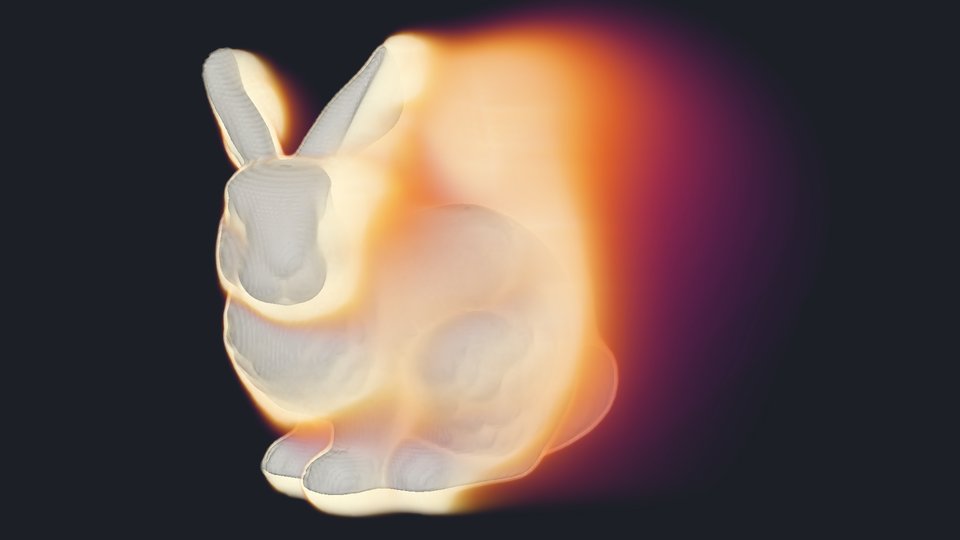
Heat haze.What you're seeing: The warm air as a translucent volume,
densest behind the head.\
Recipe: Volume render of T on a 336 × 168 × 240 voxel grid, from 1.00 to
1.03, with opacity rising with temperature.
## Eddies: unsteady DDES
Steady RANS averages turbulence away. Here is the same Mach 0.1 flow in DDES ([delayed detached-eddy simulation](https://en.wikipedia.org/wiki/Detached_eddy_simulation)), which resolves the large eddies in the wake and models the thin boundary layer, at the cost of stepping through time, 0.1 ms per step here. Most of these views come from a mesh refined to 7.8 mm around the body and through the wake, 14.5 million nodes; the time averages come from the unrefined mesh. The two DDES runs took about 98 of the 158 FlexCredits.

Vortices, animated.What you're seeing: Vortices shed off the head,
back and haunch and carried downstream: 15 frames 1 ms apart, half a body length of travel. The
sheets coating the body are its boundary layer, which DDES treats as RANS.\
Recipe: A 150-step continuation with a RenderOutput in frames mode every
10 steps: an isosurface of qcriterion at 0.3 (Q L²/U∞² = 30) colored by{' '}
velocity_magnitude, stitched into an animated WebP.
Vorticity smoke, animated.What you're seeing: The next 15 ms, with
the eddies drawn as a glowing volume. Calm air and the strongest cores are both transparent, so
moderate vorticity glows.\
Recipe: The same, with a volume of vorticityMagnitude from 0 to 8 in
solver units through the banner's transfer function (in the code at the end).
Streamlines, one instant.What you're seeing: The same rakes through
one instant of the turbulent wake: smooth ahead of the body, knotted through the eddies behind
it. They follow the velocity at that moment, not the paths particles take.\
Recipe:StreamlineOutput on a 10-step continuation, decoded and drawn
locally like the steady ones.
Vortex cores.What you're seeing: A higher Q threshold, Q L²/U∞² =
100, keeps only the stronger vortex cores.\
Recipe: Isosurface of qcriterion at 1, colored by{' '}
velocity_magnitude.
Instantaneous vorticity.What you're seeing: Resolved eddies across
the whole wake at one instant.\
Recipe: Center-plane slice of vorticityMagnitude from 0 to 3 in solver
units (0 to 30 in |ω|L/U∞), magma.
Time-averaged velocity.What you're seeing: The mean flow over
0.15 s, about five body lengths of flow: a smoother wake, slowest behind the ears and the
haunch. The window is short, so read it as where the wake sits, not converged statistics.\
Recipe:TimeAverageSliceOutput with{' '}
statistics=['mean', 'rms'] at y = 0, on the unrefined DDES mesh, drawn locally as
the magnitude of the mean velocity.
Velocity fluctuation.What you're seeing: How far the velocity
swings about its mean: strongest in the shear layers off the ears and behind the haunch.\
Recipe: From the same slices, drawn locally: the square root of the summed variances,
Σ(rms² − mean²) over the three velocity components. Flow360's rms includes the mean, so
subtract it.
Pressure fluctuation.What you're seeing: Where the pressure swings
most: behind the ears and through the lower wake.\
Recipe: The same, for Cp.
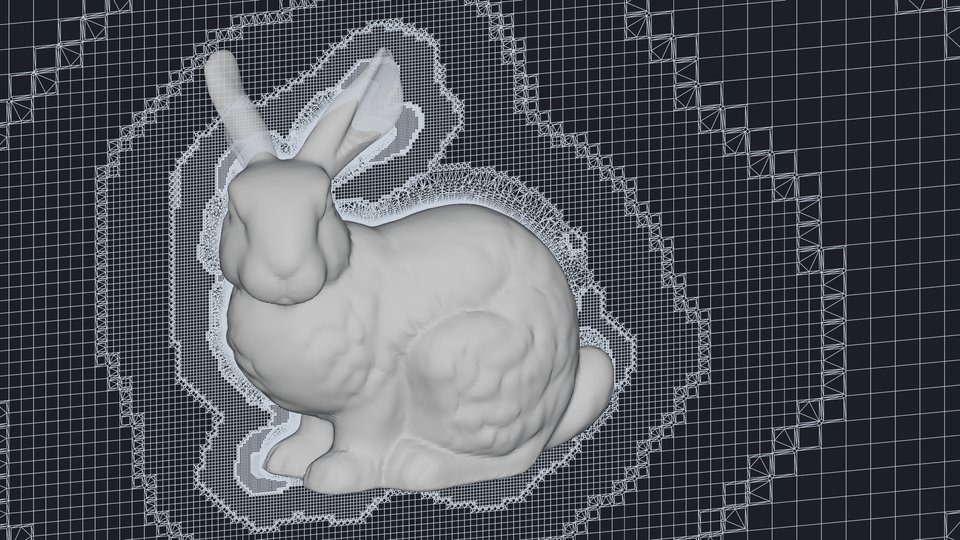
## What the solver sees
Three views of what the solver works with rather than the flow, on the center plane of the 5.3 million-node mesh.
Volume mesh.What you're seeing: Cubes that halve in size at each
refinement level toward the body, transition cells between levels, and thin boundary-layer
cells hugging the fur: 5.3 million nodes, first layer 10 µm.\
Recipe: A SliceOutput at y = 0, drawn locally as cell edges.
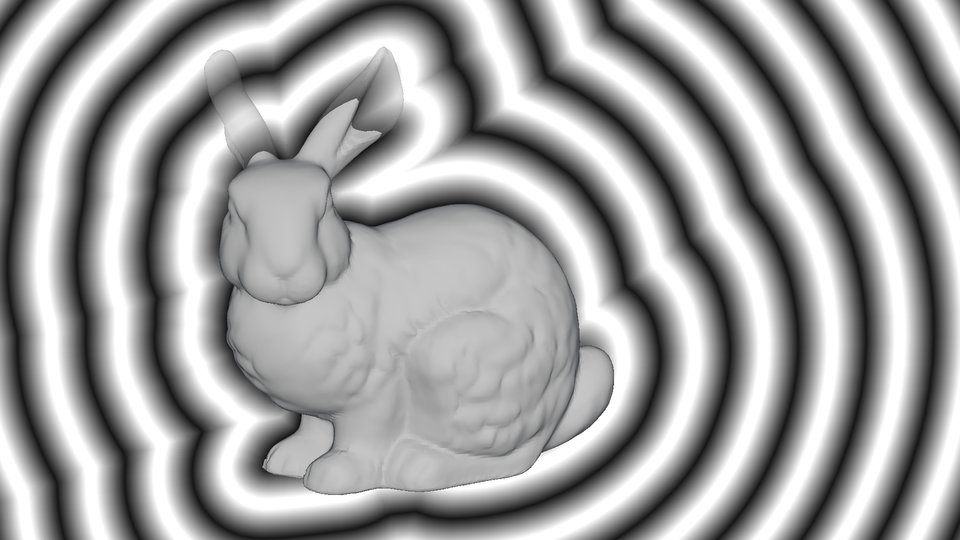
Wall distance.What you're seeing: Each band is a fixed step further
from the fur. The turbulence model uses this distance to know how near the body it is.\
Recipe: User variable fl.solution.wall_distance from 0 to 1.2 m, a
15-key map of alternating dark and light keys.
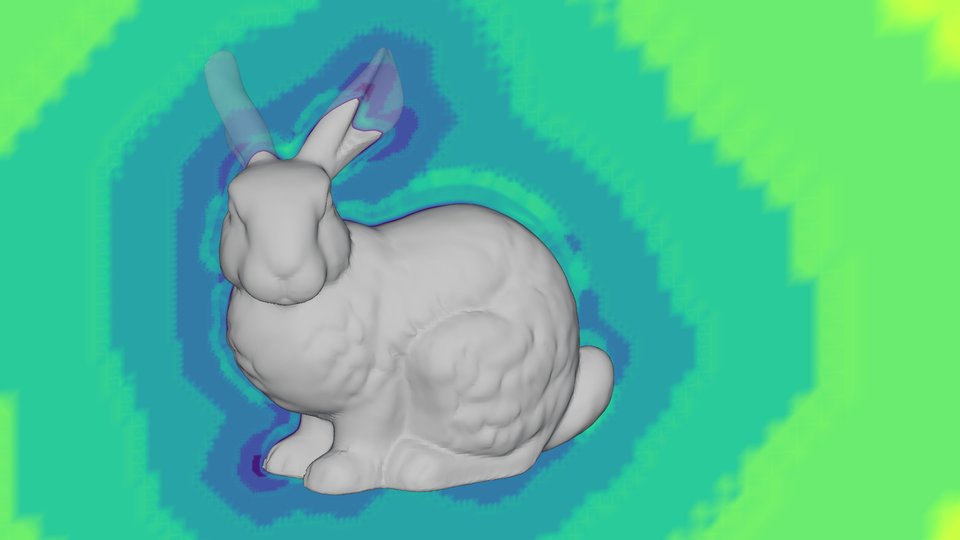
DDES length scale.What you're seeing: The length DDES uses to
decide what to resolve: the wall distance inside the shielded boundary layer, and a multiple
of the cell size outside it, so the bands are the mesh's refinement levels.\
Recipe:SliceOutput with SpalartAllmaras_hybridModel at y =
0, drawn locally as log₁₀ of DDES_lengthScale.
## How I worked
I didn't write any of the simulation code. I told the agent what I wanted to see, and it set up the cases, ran them through the Flow360 Python client, rendered the views and wrote the captions. My part was art direction: which views were worth keeping, what looked wrong, and how much to spend. I set a budget of 200 FlexCredits up front.
Independent AI reviews, including one by a model from another vendor, checked the captions against the saved case data. The agent kept each case's settings and histories, so every picture traces back to the run that made it.
## For agents, and their humans
Every view uses one orthographic camera, so the views line up and locally drawn layers register with Flow360's renders. The seven solutions:
| Solution | Mesh nodes | Drag coefficient | FlexCredits |
| --------------------------------- | ---------- | ---------------- | ----------- |
| Mach 0.1, steady RANS | 5.3 M | 0.538 | 6.0 |
| Mach 0.1 with transition | 5.3 M | 0.505 | 5.3 |
| Mach 2, steady RANS | 5.3 M | 1.165 | 3.4 |
| Mach 2, shock-refined mesh | 12.1 M | 1.168 | 7.7 |
| Heated bunny | 7.6 M | 0.482 | 4.7 |
| DDES, Mach 0.1 | 5.3 M | about 0.54 | 29.0 |
| DDES, Mach 0.1, wake-refined mesh | 14.5 M | about 0.53 | 69.4 |
The DDES drag swings with the eddies, so those two are rough averages. Render passes, short continuations with one render output per view at about 1 to 3 FlexCredits each, make up most of the rest of the 158.
A few things worth knowing:
- **Reynolds number.** `fl.AerospaceCondition.from_mach_reynolds` sets the 15 °C air's density to reach one million on 1 m: 0.53 kg/m³ at Mach 0.1 and 0.026 kg/m³ at Mach 2. The heated bunny uses sea-level air.
- **Volumes.** A colormap's alpha column is the opacity transfer function. Zero alpha at both ends makes calm air and the strongest values transparent, which is what lets the banner glow.
- **Total-pressure loss as a surface.** Entropy is an isosurface field. Where total temperature matches the freestream, Flow360's entropy is s = −(γ − 1)·ln(p₀/p₀∞), so Cpt = −1 at Mach 0.1 is s = 0.00279.
- **Diverging colormaps over lopsided ranges.** Spread the colormap's cool half over the negative range and its warm half over the positive one, with keys evenly spaced in the field, and white lands exactly on zero.
- **Derived fields.** Schlieren and wall distance are `fl.UserVariable` expressions, and slices, surfaces and volumes all render them.
- **Animations.** A frames-mode `RenderOutput` every 10 steps over a 150-step continuation, stitched into an animated WebP.
- **Local layers.** For streamlines, time statistics and mesh lines, an orthographic PyVista camera with Flow360's view direction, look-at point and width matches its framing to within a pixel.
The banner, as code:
```python
import flow360 as fl
rc = fl.render_config
body = draft.surfaces["*"] # from fl.create_draft(new_run_from=geometry)
coolwarm = [[59, 76, 192], [141, 176, 254], [221, 221, 221],
[244, 154, 123], [180, 4, 38]]
# RGB plus alpha, spread evenly from min to max:
# the alpha column is the opacity transfer function.
smoke = [[0, 0, 0, 0.0], [60, 20, 90, 0.0], [150, 40, 110, 0.05],
[230, 90, 60, 0.15], [250, 170, 50, 0.2],
[252, 240, 170, 0.12], [252, 255, 200, 0.0]]
with fl.SI_unit_system:
wake = fl.VoxelGrid(name="wake", center=(0.425, 0, 0.5) * fl.u.m,
size=(1.95, 1.1, 1.1) * fl.u.m,
resolution=(390, 220, 220))
banner = fl.RenderOutput(
name="banner",
groups=[
fl.RenderOutputGroup(
surfaces=[body],
material=rc.FieldMaterial(
output_field="Cp", min=-1.2, max=1.2,
colormap=coolwarm)),
fl.RenderOutputGroup(
volumes=[wake],
material=rc.FieldMaterial(
output_field="vorticityMagnitude", min=0, max=8,
colormap=smoke)),
],
camera=rc.Camera(position=(-0.35, -1.0, 0.3), up=(0, 0, 1),
look_at=(0.2, 0, 0.45), dimension=2.3,
dimension_dir="width"),
environment=rc.Environment(
background=rc.SkyboxBackground(texture="gradient")),
resolution=rc.Resolution(width=1920, height=1080),
)
```